
Building an AI Engineering Agent, Day 1: Bootstrapping on Titanic
Building an AI Engineering Agent, Day 1: Bootstrapping on Titanic
I’m working on building an AI agent that can automate data science and ML engineering tasks. Not only is this an unsolved problem (though lots of people are working on it), it’s also a great way to learn how to build good, useful agents.
I’m starting with the Titanic dataset. I chose this dataset because:
- It’s pretty simple. It’s one of the first datasets you work with when learning data science.
- The actual solution is pretty well-known: absent of some feature engineering, the task is pretty simple.
I wanted to get a very bare-bones v0 that I can continue to iterate on this week.
Creating a simple one-shot prompt for doing this
I started with a really basic one-shot prompt to do this:
system_prompt = """
You are an expert ML engineer.
Given the Titanic Kaggle train and test DataFrames already loaded as `train` and `test`,
generate executable Python code that:

1. Performs simple preprocessing (e.g., fill NA, encode categoricals).
2. Trains a model to predict 'Survived'.
3. Produces predictions for the test set.
4. Returns a DataFrame with columns ['PassengerId', 'Survived'] in a variable named `submission`.
5. Do not import the CSVs again—they are already loaded. Just operate on `train` and `test`.
"""
I had a very basic pipeline for doing this:
import anthropic

client = anthropic.Anthropic(api_key=ANTHROPIC_API_KEY)

# Call the Opus model
message_opus = client.messages.create(
    model="claude-opus-4-1-20250805",
    max_tokens=1500,
    system=system_prompt,
    messages=[
        {"role": "user", "content": user_prompt}
    ]
)
I ran into a variety of errors when doing this really naive approach, namely:
- The code wasn’t guaranteed to compile. In fact, it often didn’t compile. I had a hard time trying to do the parsing correctly to get it to work.
- I needed to set up a sandbox environment for the code to run.
I also wanted to ship this quickly, so I moved off Colab and started iterating quickly with Cursor. Since this is a common enough task that basic LLMs have likely seen various implementations of the Titanic dataset, the model should know how to do this task of analyzing the data and training a model.
Adding code helper tooling and a sandbox environment
Getting the code to compile
To get the code to compile, I added a few things.
- Prompt-level scaffolding and instructions
- Post-generation sanitation: every response is stripped of markdown fences, rewritten to remove fillna(…, inplace=True), and checked against lightweight banned-pattern rules before we even try to scaffold it.
- Compile-time guard: before execution, the sandbox calls compile(code, …) to catch syntax errors early, surfacing them as CompilationValidationError.
These have worked well enough for the simple use case I have so far. Now, all the code that the LLMs generate normally compiles (now whether the output is useful or not is a different story, though on average it does lead to a decently well-trained model).
Adding a sandbox environment
I also added a sandbox code execution environment.
@dataclass
class SandboxResult:
    stdout: str
    stderr: str


class SandboxTool:
    """Utility for validating and executing generated code in an isolated workspace."""

    def __init__(self, context_dirs: Optional[Mapping[str, Path]] = None) -> None:
        self._context_dirs = {
            relative: Path(source)
            for relative, source in (context_dirs or {}).items()
        }

    @staticmethod
    def ensure_compiles(code: str, filename: str = "<generated>") -> None:
        try:
            compile(code, filename, "exec")
        except SyntaxError as err:
            raise CompilationValidationError(
                f"Generated code failed to compile: {err}"
            ) from err

    def _hydrate_context(self, sandbox_root: Path) -> None:
        for relative, source in self._context_dirs.items():
            destination = sandbox_root / relative
            if source.is_dir():
                shutil.copytree(src=source, dst=destination)
            else:
                destination.parent.mkdir(parents=True, exist_ok=True)
                shutil.copy2(src=source, dst=destination)

    def validate_and_execute(
        self,
        code: str,
        entrypoint: str,
        expected_outputs: Optional[Mapping[str, Path]] = None,
    ) -> SandboxResult:
        self.ensure_compiles(code, filename=entrypoint)
        with tempfile.TemporaryDirectory() as sandbox_dir:
            sandbox_root = Path(sandbox_dir)
            self._hydrate_context(sandbox_root)

            script_path = sandbox_root / entrypoint
            script_path.write_text(code, encoding="utf-8")

            try:
                result = run_script(script_path=script_path, working_dir=sandbox_root)
            except RuntimeError as exc:
                raise SandboxExecutionError(
                    "Sandbox execution of generated code failed."
                ) from exc

            if expected_outputs:
                for relative, destination in expected_outputs.items():
                    produced = sandbox_root / relative
                    if not produced.exists():
                        raise SandboxExecutionError(
                            f"Sandbox execution did not produce expected artifact: {relative}"
                        )
                    destination.parent.mkdir(parents=True, exist_ok=True)
                    shutil.copy2(src=produced, dst=destination)

            return SandboxResult(
                stdout=result.stdout or "",
                stderr=result.stderr or "",
            )
This builds a temporary directory, hydrates whitelisted context directories (currently data/), writes the generated script there, and runs it isolated from the project tree.
After execution, the sandbox asserts that required outputs (e.g., submission.parquet, model.json) exist inside the sandbox, then copies them back to their real destinations.
Optimizing the prompt
I put the prompt into Claude’s Prompt Optimizer to see if it could improve the prompt, and it did refine it. I trimmed it down slightly to keep the prompt simple for now.
Adding a basic Streamlit UI
I then created a basic Streamlit UI to visualize the flow from prompt to LLM output to code execution.
I’m a big fan of creating a UI for this sort of thing as soon as possible, for several reasons:
- Having the Streamlit UI helps me to see the “golden” user flow that I want to keep in mind as I get in the weeds.
- Logs are nice but they’re just not visually appealing or fun to look at (ditto for JSON files, .csv files, and tables).
- I like Jupyter notebooks, but I find that when I colocate my code and my visualizations, that things get messy. This way, as I make code changes, I can visually represent them in the UI and see any changes made.
- Having a UI that I can show off also makes it really easy to have tangible results that I can show to other people.
Abstracting out the feature engineering from the ML training
My previous attempts were with a single prompt that did both feature engineering and also ML trianing. I decided to focus on just having the LLM create the feature engineering code, and to hard-code the logic for the ML training for now.
So instead, I hard-coded the ML training logic and gave the LLM the task of creating the feature engineering prompt.
system_prompt = """
You are an expert feature engineer. Your ONLY task is to output valid Python code
that defines a single function named `generate_training_features`.

Requirements:
1. The function signature must be:
       def generate_training_features(train_df: pd.DataFrame) -> tuple[pd.DataFrame, callable]:
   - The returned tuple must contain:
       - A pandas DataFrame of engineered features aligned to train_df.
       - A callable that, when invoked with a pandas DataFrame, returns the same set of engineered features
         using the statistics learned from train_df (e.g., encoders fitted on train_df).
2. The function is responsible for feature engineering only. It MUST NOT train or evaluate any model.
3. It must drop the target column ('Survived') from the returned feature DataFrame.
4. Handle missing values robustly and encode categorical variables consistently between training and inference.
5. Do NOT convert columns to pandas 'category' dtype; prefer string/object or numerical encodings that avoid category level issues when filling missing data.
6. Do NOT mutate the input DataFrames in-place.
7. You may define helper classes or inner functions as needed, but the top-level callable must be named
   `generate_training_features`.
8. You may import from pandas, numpy, and sklearn.
9. The output MUST be only Python code for the function and any helper definitions; NO markdown, NO commentary.

Produce only the function implementation below this line:
"""
This prompt ends up working pretty well and consistently for generating the expected function.
import pandas as pd
import numpy as np
from sklearn.preprocessing import StandardScaler, LabelEncoder

def generate_training_features(train_df: pd.DataFrame) -> tuple[pd.DataFrame, callable]:
    # Create a copy to avoid mutating input
    df = train_df.copy()

    # Store target if present, then drop it
    if 'Survived' in df.columns:
        df = df.drop('Survived', axis=1)

    # Initialize containers for fitted transformers
    scalers = {}
    encoders = {}
    fill_values = {}

    # Feature engineering function
    features = pd.DataFrame(index=df.index)

    # Basic features
    features['Pclass'] = df['Pclass']

    # Age processing
    age_median = df['Age'].median()
    fill_values['Age'] = age_median
    features['Age'] = df['Age'].fillna(age_median)
    features['Age_is_null'] = df['Age'].isna().astype(int)
    features['Age_bin'] = pd.cut(features['Age'], bins=[0, 12, 18, 35, 60, 100], labels=False)

    # Fare processing
    fare_median = df['Fare'].median()
    fill_values['Fare'] = fare_median
    features['Fare'] = df['Fare'].fillna(fare_median)
    features['Fare_log'] = np.log1p(features['Fare'])
    features['Fare_bin'] = pd.qcut(features['Fare'], q=5, labels=False, duplicates='drop')

    # SibSp and Parch
    features['SibSp'] = df['SibSp']
    features['Parch'] = df['Parch']
    features['FamilySize'] = df['SibSp'] + df['Parch'] + 1
    features['IsAlone'] = (features['FamilySize'] == 1).astype(int)

    # Sex encoding
    sex_map = {'male': 0, 'female': 1}
    features['Sex'] = df['Sex'].map(sex_map).fillna(0)

    # Embarked processing
    embarked_mode = df['Embarked'].mode()[0] if len(df['Embarked'].mode()) > 0 else 'S'
    fill_values['Embarked'] = embarked_mode
    embarked_filled = df['Embarked'].fillna(embarked_mode)
    embarked_map = {'S': 0, 'C': 1, 'Q': 2}
    features['Embarked'] = embarked_filled.map(embarked_map).fillna(0)

    # Title extraction from Name
    def extract_title(name):
        if pd.isna(name):
            return 'Unknown'
        title = name.split(',')[1].split('.')[0].strip() if ',' in name else 'Unknown'
        # Group rare titles
        if title in ['Mr', 'Miss', 'Mrs', 'Master']:
            return title
        elif title in ['Dr', 'Rev', 'Col', 'Major', 'Capt']:
            return 'Officer'
        elif title in ['Countess', 'Lady', 'Sir', 'Don', 'Dona', 'Jonkheer']:
            return 'Noble'
        else:
            return 'Other'

    titles = df['Name'].apply(extract_title)
    title_encoder = LabelEncoder()
    features['Title'] = title_encoder.fit_transform(titles)
    encoders['Title'] = title_encoder

    # Cabin features
    features['HasCabin'] = df['Cabin'].notna().astype(int)

    def extract_cabin_letter(cabin):
        if pd.isna(cabin):
            return 'U'
        return cabin[0]

    cabin_letters = df['Cabin'].apply(extract_cabin_letter)
    cabin_encoder = LabelEncoder()
    features['CabinLetter'] = cabin_encoder.fit_transform(cabin_letters)
    encoders['CabinLetter'] = cabin_encoder

    # Ticket features
    def extract_ticket_prefix(ticket):
        if pd.isna(ticket):
            return 'None'
        ticket = str(ticket)
        if ticket.replace('.', '').replace('/', '').isdigit():
            return 'Numeric'
        else:
            return ticket.split()[0] if ' ' in ticket else ticket[:3]

    ticket_prefixes = df['Ticket'].apply(extract_ticket_prefix)
    # Group rare prefixes
    prefix_counts = ticket_prefixes.value_counts()
    rare_prefixes = prefix_counts[prefix_counts < 5].index
    ticket_prefixes = ticket_prefixes.apply(lambda x: 'Rare' if x in rare_prefixes else x)

    ticket_encoder = LabelEncoder()
    features['TicketPrefix'] = ticket_encoder.fit_transform(ticket_prefixes)
    encoders['TicketPrefix'] = ticket_encoder

    # Interaction features
    features['Age_Pclass'] = features['Age'] * features['Pclass']
    features['Fare_Pclass'] = features['Fare'] / (features['Pclass'] + 1)
    features['Sex_Pclass'] = features['Sex'] * features['Pclass']
    features['FamilySize_Pclass'] = features['FamilySize'] * features['Pclass']

    # Scale numerical features
    numerical_cols = ['Age', 'Fare', 'Fare_log', 'Age_Pclass', 'Fare_Pclass']
    for col in numerical_cols:
        scaler = StandardScaler()
        features[f'{col}_scaled'] = scaler.fit_transform(features[[col]])
        scalers[col] = scaler

    # Define inference function
    def transform_features(new_df: pd.DataFrame) -> pd.DataFrame:
        df_copy = new_df.copy()

        # Drop target if present
        if 'Survived' in df_copy.columns:
            df_copy = df_copy.drop('Survived', axis=1)

        new_features = pd.DataFrame(index=df_copy.index)

        # Basic features
        new_features['Pclass'] = df_copy['Pclass']

        # Age
        new_features['Age'] = df_copy['Age'].fillna(fill_values['Age'])
        new_features['Age_is_null'] = df_copy['Age'].isna().astype(int)
        new_features['Age_bin'] = pd.cut(new_features['Age'], bins=[0, 12, 18, 35, 60, 100], labels=False)

        # Fare
        new_features['Fare'] = df_copy['Fare'].fillna(fill_values['Fare'])
        new_features['Fare_log'] = np.log1p(new_features['Fare'])
        fare_bins = pd.qcut(features['Fare'], q=5, retbins=True, duplicates='drop')[1]
        new_features['Fare_bin'] = pd.cut(new_features['Fare'], bins=fare_bins, labels=False, include_lowest=True)
        new_features['Fare_bin'] = new_features['Fare_bin'].fillna(2)

        # Family
        new_features['SibSp'] = df_copy['SibSp']
        new_features['Parch'] = df_copy['Parch']
        new_features['FamilySize'] = df_copy['SibSp'] + df_copy['Parch'] + 1
        new_features['IsAlone'] = (new_features['FamilySize'] == 1).astype(int)

        # Sex
        new_features['Sex'] = df_copy['Sex'].map(sex_map).fillna(0)

        # Embarked
        embarked_filled = df_copy['Embarked'].fillna(fill_values['Embarked'])
        new_features['Embarked'] = embarked_filled.map(embarked_map).fillna(0)

        # Title
        titles = df_copy['Name'].apply(extract_title)
        # Handle unseen titles
        known_titles = set(encoders['Title'].classes_)
        titles = titles.apply(lambda x: x if x in known_titles else 'Other')
        new_features['Title'] = encoders['Title'].transform(titles)

        # Cabin
        new_features['HasCabin'] = df_copy['Cabin'].notna().astype(int)
        cabin_letters = df_copy['Cabin'].apply(extract_cabin_letter)
        # Handle unseen cabin letters
        known_cabins = set(encoders['CabinLetter'].classes_)
        cabin_letters = cabin_letters.apply(lambda x: x if x in known_cabins else 'U')
        new_features['CabinLetter'] = encoders['CabinLetter'].transform(cabin_letters)

        # Ticket
        ticket_prefixes = df_copy['Ticket'].apply(extract_ticket_prefix)
        prefix_counts = ticket_prefixes.value_counts()
        rare_prefixes = prefix_counts[prefix_counts < 5].index
        ticket_prefixes = ticket_prefixes.apply(lambda x: 'Rare' if x in rare_prefixes else x)
        # Handle unseen prefixes
        known_prefixes = set(encoders['TicketPrefix'].classes_)
        ticket_prefixes = ticket_prefixes.apply(lambda x: x if x in known_prefixes else 'Rare')
        new_features['TicketPrefix'] = encoders['TicketPrefix'].transform(ticket_prefixes)

        # Interactions
        new_features['Age_Pclass'] = new_features['Age'] * new_features['Pclass']
        new_features['Fare_Pclass'] = new_features['Fare'] / (new_features['Pclass'] + 1)
        new_features['Sex_Pclass'] = new_features['Sex'] * new_features['Pclass']
        new_features['FamilySize_Pclass'] = new_features['FamilySize'] * new_features['Pclass']

        # Scale
        for col in numerical_cols:
            new_features[f'{col}_scaled'] = scalers[col].transform(new_features[[col]])

        return new_features

    return features, transform_features
Checking the updated results in the Streamlit UI
We can take a look below at how the results are currently looking from the Streamlit UI.
First, let’s take a look at the current generated prompt being used.
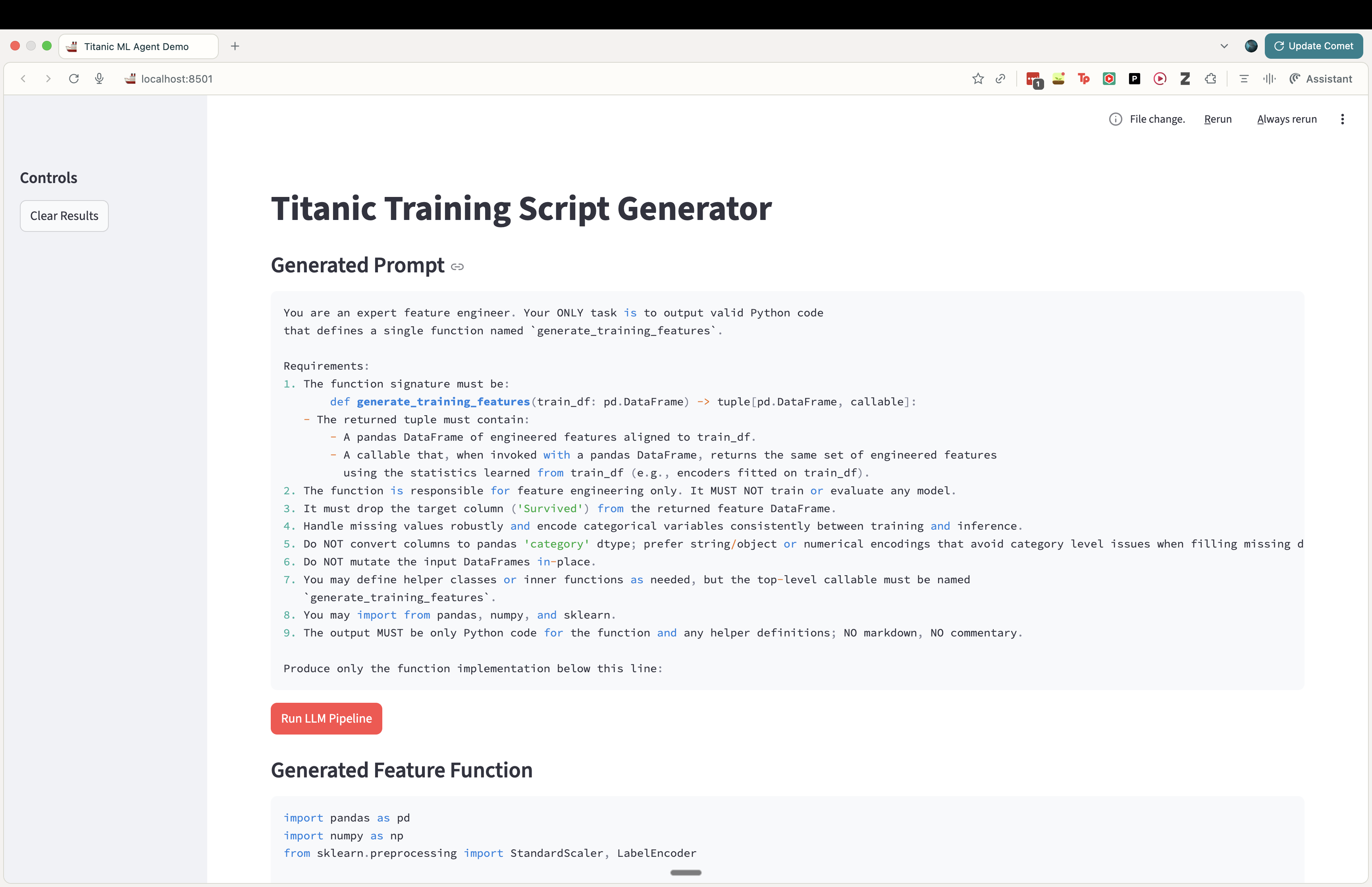
Then let’s take a look at the function code generated by the model.
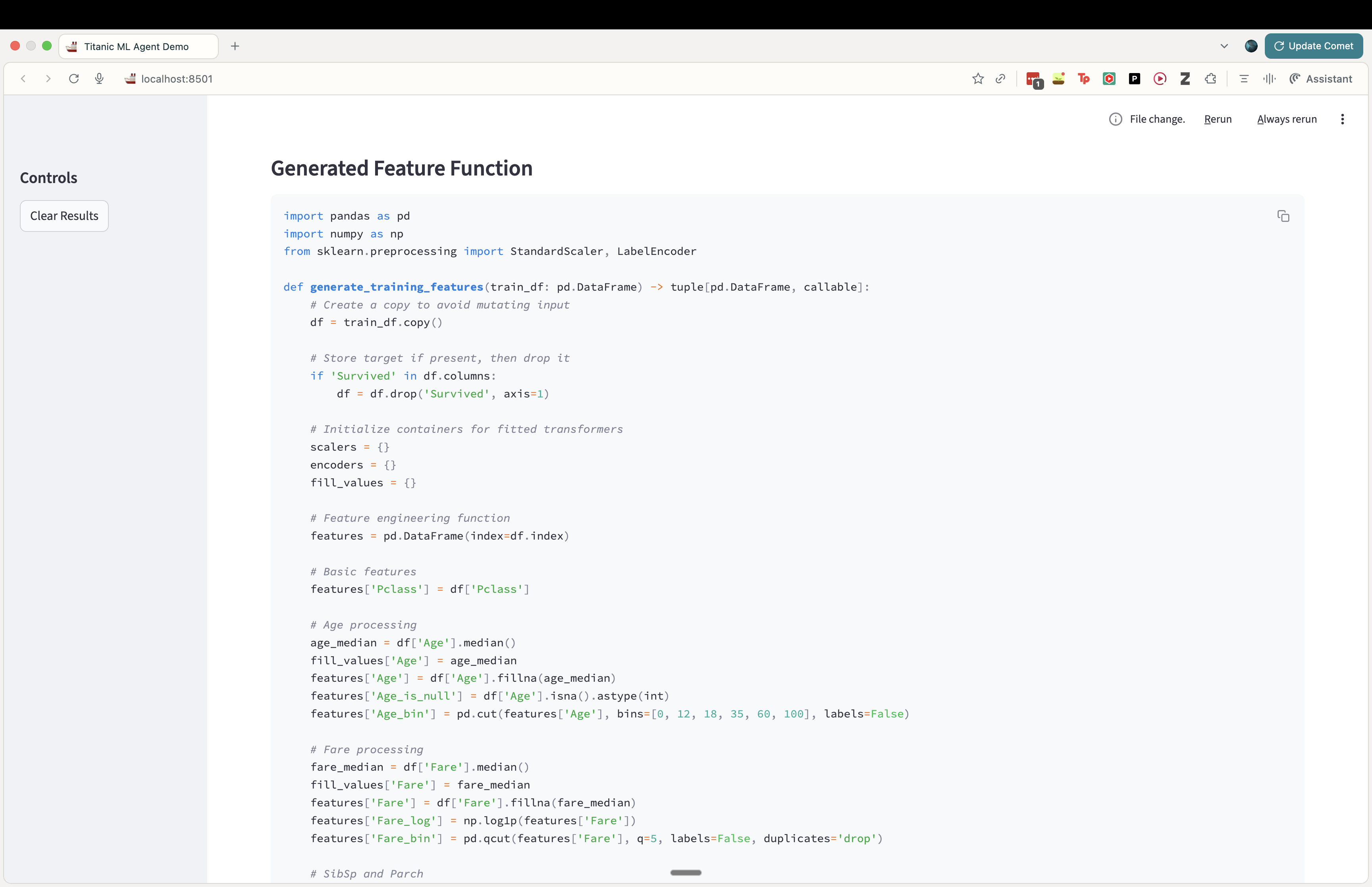
Lastly, let’s take a look at some results after training a model on the features engineered by the model.

Things I want to check out next
- Update the prompt to give the model the schema and metadata that it needs about the data. I was able to get some results without adding that info only because the Titanic dataset is so well-known, but for this to generalize I do need to give some metadata about the dataset.
- This’ll probably have to be part of some upstream pipelne that then gets fed into the context generation logic.
- Collect more datasets and start creating an “evals harness” setup to automate checking model performance across datasets.
- See how far I can take the one-prompt approach before moving to a multi-agent flow.